
Brand, But Make It Bold: 6 Tools That Add Spice and Spark to Your Identity
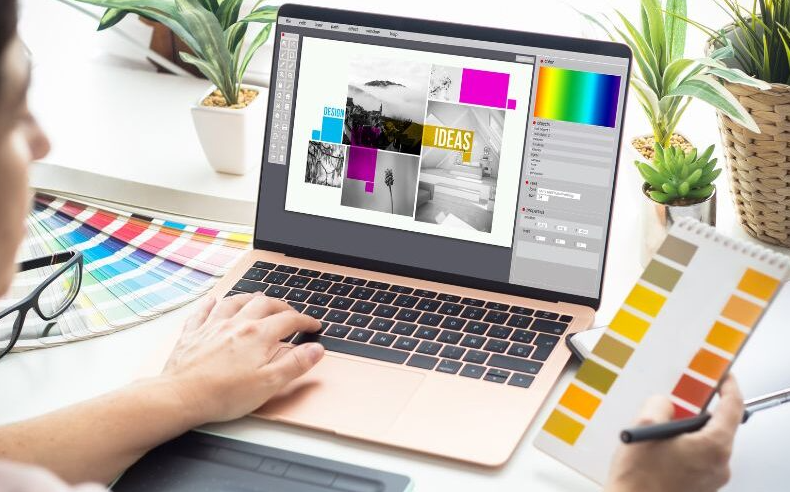
If your brand feels more “meh” than magnetic, it’s time for a refresh. Today’s digital-first audiences respond to personality, polish, and presence—and with the right tools, you can upgrade your brand’s vibe without a full-blown rebrand. From visuals to video, here are some easy-to-use, high-impact tools that help you spice up your brand and make your content pop off the page (or screen).
1. Looka: Your AI Branding Assistant
Before you dive into content creation, you need a solid brand identity. Looka is an AI-powered branding tool that helps you generate a professional logo, pick brand colors, and create a custom style guide—all in minutes. Unlike generic logo generators, Looka lets you preview how your branding will appear on business cards, social headers, and merchandise. It’s a great way to create a cohesive look without hiring a full design team. You can also download logo files in multiple formats, so you’re ready for web, print, and everywhere in between.
2. Zyro AI Writer & Heatmap: Upgrade Copy and Design Together
Zyro offers two unique tools that help you spice up both what your brand says and how it visually performs. The AI Writer generates snappy, brand-aligned copy for landing pages, ads, or bios—perfect for brands that struggle with messaging. Meanwhile, the AI Heatmap predicts where users will focus on your design, helping you adjust layout and call-to-action placement before going live. It’s like having a creative director and conversion coach in one. Simple, smart, and backed by science.
3. Kittl: Next-Level Typography & Design
If your brand aesthetic leans vintage, bold, or illustrative, Kittl is a dream come true. It’s a browser-based design tool that specializes in expressive typography, ornate layouts, and artistic assets. Think: hand-drawn logos, badges, merch designs, and label art—all customizable without needing Adobe Illustrator. Perfect for brands in lifestyle, food, apparel, or events. Use Kittl to design unique assets that feel handcrafted but take minutes to make. The platform is easy to learn and lets your brand personality shine through.
4. Descript: Brand Voice Meets Video Editing
A big part of your brand isn’t just how it looks—it’s how it sounds. Descript is a powerful tool that lets you edit video and audio like you’re editing a document. Want to cut out filler words, insert new voiceovers, or caption everything automatically? Descript does it with a click. If you’re building a brand on YouTube, TikTok, or podcasts, Descript helps maintain consistency in tone, pacing, and message. Plus, it’s collaborative, so your whole team can stay on-brand—without sending a million versions back and forth.
5. Mojo: Animate Your Brand in Stories and Reels
Motion = attention. And Mojo helps you animate your brand for mobile-first platforms like Instagram and TikTok with zero hassle. Choose from hundreds of dynamic templates for Reels, Stories, and promotional clips. You can customize everything—fonts, colors, logos—so each post looks polished and on-brand. It’s ideal for businesses that need scroll-stopping content but don’t have a full-time designer or editor. Whether you’re launching a product or promoting a sale, Mojo turns simple assets into branded motion masterpieces.
See also: Technology in 2025: Innovations Shaping the Future
6. Coolors: The Ultimate Palette Generator
When your brand colors feel flat or inconsistent, Coolors helps you create and refine palettes that pop. You can generate color schemes from scratch, extract palettes from images, or explore trending themes based on mood or industry. Save your palettes, lock key colors, and export them in multiple formats to use across all your brand touchpoints. It’s especially helpful during rebrands, seasonal campaigns, or when you want to explore a bolder look without breaking your brand rules.
📹 FAQ: Tools That Make Video Trimming Easy and On-Brand
Video content plays a key role in modern branding—from social clips to product promos. But trimming footage to fit formats or highlight your best moments can be tricky. Here are five common questions (and straightforward answers) about video trimming tools for keeping your content clean, on-brand, and platform-ready:
Q1: What’s the best tool to trim videos for multiple platforms without needing editing experience?
Adobe Express offers a beginner-friendly, browser-based online video cutter that makes trimming quick and painless. Simply upload your clip, drag to select the start and end points, and export. No downloads, no watermarks, and no prior editing skills required. It’s a great choice for social media managers or solo creators who need speed and brand control.
Q2: Are there tools that trim videos and let me batch-edit for Reels, YouTube Shorts, and TikTok?
Yes—CapCut is one of the most versatile apps for trimming and formatting short-form video. You can apply the same trim, style, and audio across multiple versions, making it easier to stay consistent across platforms. Great for maintaining your brand’s look and feel with minimal effort.
Q3: I want to trim and brand my videos—what tools let me do both?
InVideo lets you trim, add overlays, and insert branded intros or outros in just a few clicks. Its template-based editor is perfect for those who want to combine trimming with fast, repeatable branding assets like logo watermarks or call-to-action banners.
Q4: What if I need a mobile-friendly trimmer with branding options?
Splice is a powerful mobile app that allows trimming, filtering, and adding branded text or transitions right from your phone. It’s ideal for creators and small business owners who manage content on the go but still want it to look pro.
Q5: Can I trim videos offline if I don’t have reliable internet access?
Yes—Shotcut and iMovie (for Mac users) are free desktop tools that allow precise trimming and offline editing. They’re lightweight, reliable, and great for creators who want full control without relying on browser speed or cloud sync.
Your brand doesn’t need a total overhaul to feel fresh—it just needs some smart updates. From visuals and voice to motion and messaging, these tools help you dial up the flavor without losing focus. Whether you’re launching a product, updating your Instagram, or just making sure your visuals stand out in the feed, the right tools can turn any brand into a bold, memorable experience.


